July 28, 2026 · Shrey
- CRM
- Templates
- Next.js
6 CRM templates you can demo today (and the full kit when you’re ready)
A quick tour of SaaSCRM’s six vertical templates — Indie Stripe, Agency, Freelancer, Creator, Digital Store, and Ecommerce CMS — why they exist, how to use each one, and when to grab the full kit.
Hello folks
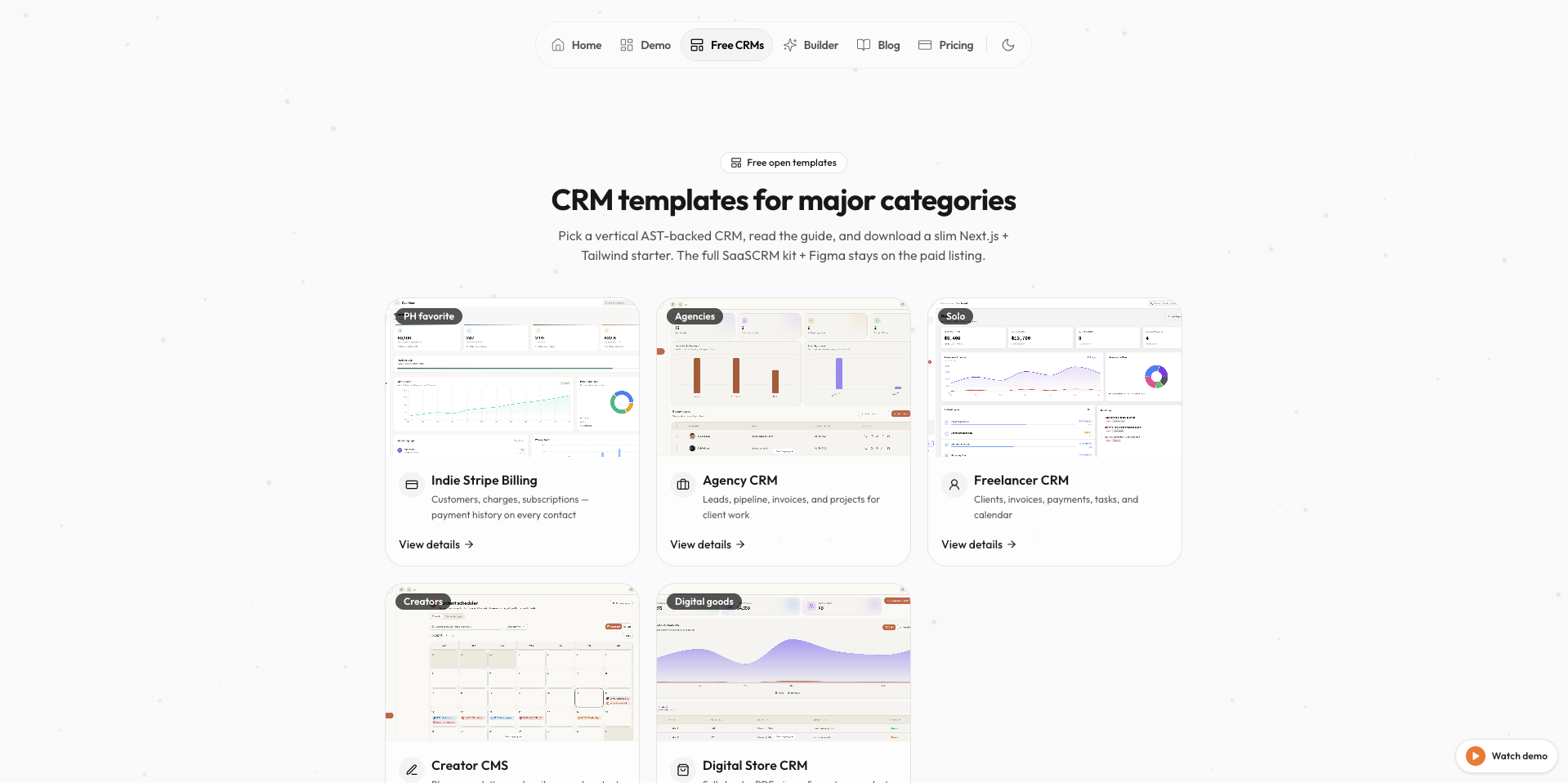
We just shipped a cleaner way to explore SaaSCRM: six focused CRM templates, each tuned for a real business shape — not a generic “admin dump.”
Browse them all on saascrm.site/templates. Live demos open in one click. When you outgrow a slim starter, the full kit is waiting on pricing.
Why templates?
Building a CRM from a blank Next.js app is slow in the boring ways:
- Sidebar + routing + empty states for every module
- Tables, filters, detail pages, and seed data that actually look real
- Theme tokens so dark mode and rebrands don’t break mid-ship
Templates skip that setup. You pick a vertical that already matches your workflow, demo it, then customize instead of inventing the admin layer from scratch.
That’s the whole idea behind SaaSCRM:
- Small verticals → prove the UI for your niche fast
- Full kit → 60+ screens when you need sales, ops, finance, CMS, and system in one product
The 6 templates (one line each)
| Template | One-line detail |
|---|---|
| Indie Stripe Billing | Stripe-shaped revenue OS — customers, charges, subscriptions, failed payments. |
| Agency CRM | Leads → pipeline → invoices → projects for client delivery shops. |
| Freelancer CRM | Clients, invoices, payments, and tasks in one slim hub. |
| Creator CMS | Blogs, newsletters, subscribers, and content analytics. |
| Digital Store CRM | Sell ebooks, PDFs, icons & assets — catalog, orders, payouts. |
| Ecommerce CMS | Products, inventory, shipping, raw materials, plus blogs & scheduler. |
How to use each one
Same playbook for every template:
- Open the templates gallery and click a card
- Hit View live demo — it loads that vertical inside the SaaSCRM shell
- Click around the sidebar (that is the product shape)
- When you’re ready to own the code, grab the starter / pack from the template page or upgrade to the full kit
Indie Stripe Billing
Best if you live in Stripe Dashboard tabs. Demo → swap seed customers / plans → wire real Stripe later. Home lands on revenue; dig into failed charges and subscriptions.
Agency CRM
Best for studios and boutique agencies. Walk Leads → Pipeline → Invoices → Projects, then rename stages to match how you actually close and deliver.
Freelancer CRM
Best for solo operators. Keep Clients / Invoices / Payments / Tasks as the daily loop. Replace seed clients with your roster and ship.
Creator CMS
Best for writers and content teams. Use CMS + Analytics + Users, then point blog / newsletter rows at your real calendar or email tool.
Digital Store CRM
Best for digital product sellers. Start on Products, then Orders → Invoices → Payments. Badge SKUs as ebook / PDF / icon pack as you grow.
Ecommerce CMS
Best for DTC / ops-heavy stores. Run Products → Inventory → Orders → Shipping, track raw materials, and keep marketing in CMS + Scheduler without leaving the admin.
When to buy the full kit
The six templates are focused starters. The Full CRM kit is the whole house:
- 60+ production screens (sales, ops, finance, CMS, system)
- Agentic AI chatbot, theme customizer, marketing site patterns
- Lifetime updates — one-time purchase from $49 (Template + Figma from $79)
If you’re building a real product admin — not just a niche slice — start here:
Boom — grab the full kit
Or preview everything in the app first: Open the full demo · Browse all 6 templates
Ship the admin layer. Build the business on top.